Keybindings
The default virtufin-tui keybindings. Press ? in the TUI for the same
table inline.
Global (App level)
| Key | Action |
|---|---|
? |
Show help overlay (in a dialog too: its keys) |
q |
Quit: asks first; q again (or Enter) quits, Escape stays |
ctrl+p |
Command palette: type to find a command, Enter runs it. The current page's keys (each with its key, e.g. Bulk (b)), Go to <tab> › <pane> for every pane, the kill switch, the page's keys overview, Switch context to <name> for every other context (as Enter on the Config page: only once its api answers), and Textual's own (theme, keys, screenshot, quit) |
Dashboard navigation
| Key | Action |
|---|---|
right |
Next top-level tab (wraps) |
left |
Previous top-level tab (wraps) |
1-9, 0 |
Switch to the Nth sub-tab of the active top-level tab (0 is the tenth; the tab label shows the key) |
< / > |
Previous / next sub-tab, wrapping: reaches panes past the tenth, which have no number |
K |
Kill switch (every tab): stop the context's trading, see below |
Kill switch
K halts every registered scenario that is not archived (sc.<S>.trading.halt): its
strategies withhold their orders and its executors refuse them. Then every running executor
(a worker serving a sc.<S>.trading.order.submitted topic) gets cancel-all: it cancels the
open orders the platform placed at its venue (LiveExecutor: the vf- orders at Binance;
orders placed otherwise on the account stay). The TUI first lists what it will do and asks
twice; a protected context does not ask a third time. A report lists the scenarios halted
and, per executor, the orders canceled and what failed. While a scenario is halted the
context row says HALTED: <scenarios> on every tab. Nothing resumes by itself: h on the
Scenario page resumes one scenario (with a confirmation).
The tabs are the navigation structure in use (your navigation.json, else the context's
shared one, else the default) -- see Tabs, pages & custom panes. The
tables below assume the default (Home / Trading / Infra / Config).
Beyond navigation, Dashboard forwards a small set of generic keys to
whichever action_* method the currently-mounted pane implements. A key
is hidden from the footer entirely if the current pane doesn't implement
any of its methods; a key listed on several rows runs the first row whose
method the pane has. Every pane's keys go through this table, so the footer
shows them.
One meaning per key. The same key does the same kind of thing on every page:
| Key | Everywhere |
|---|---|
a |
Add: a worker, script, feed, strategy, scenario, trigger, topics, pane |
d |
Delete the highlighted row's thing (asks first where it cannot be undone) |
m |
Actions: the highlighted row's menu (Workers, Connections) |
Enter |
Open the row (its detail), or Use it: make the scenario or context the one in use |
/ |
Filter, o sort, T flat or tree |
Keys that stop something live ask first: X disconnecting a feed, space pausing a
scenario, q quitting, and every d.
There is no refresh key: every pane updates by itself from events (lists,
counters, registries, new books and indicators, health; tui#31-#37). r is
Run on Scripts only.
| Key | Footer | Dispatches to (first match wins) |
|---|---|---|
r |
Run | action_run_script |
a |
Add | action_new_worker / action_new_script / action_add_atomic / action_add_feed / action_add_scenario / action_schedule / action_add_topic / action_insert_pane |
m |
Actions | action_action |
d |
Delete | action_delete_row / action_disconnect_row / action_delete_topics / action_delete_feed / action_remove_strategy / action_remove_scenario / action_remove_pane |
x |
Archive | action_archive_scenario |
h |
Halt | action_toggle_halt |
enter |
Open | action_detail |
enter |
Use | action_use / action_switch_context |
space |
Pause | action_toggle_pause |
/ |
Filter | action_filter |
T |
Flat/Tree | action_toggle_tree |
c |
Clear | action_clear |
c |
Compose | action_compose |
C |
Connect | action_connect_feed |
X |
Disconnect | action_disconnect_feed |
s |
Save | action_save_script |
w |
Wall Time | action_toggle_wallclock |
z |
Zero balances | action_toggle_zero |
l |
Limits | action_limits |
t |
Msg Time | action_toggle_msgtime |
t |
New tab | action_new_tab |
Ctrl+L |
Clear Chat | action_clear_chat (AI tab only) |
P |
Provider | action_switch_provider (AI tab only) |
Home
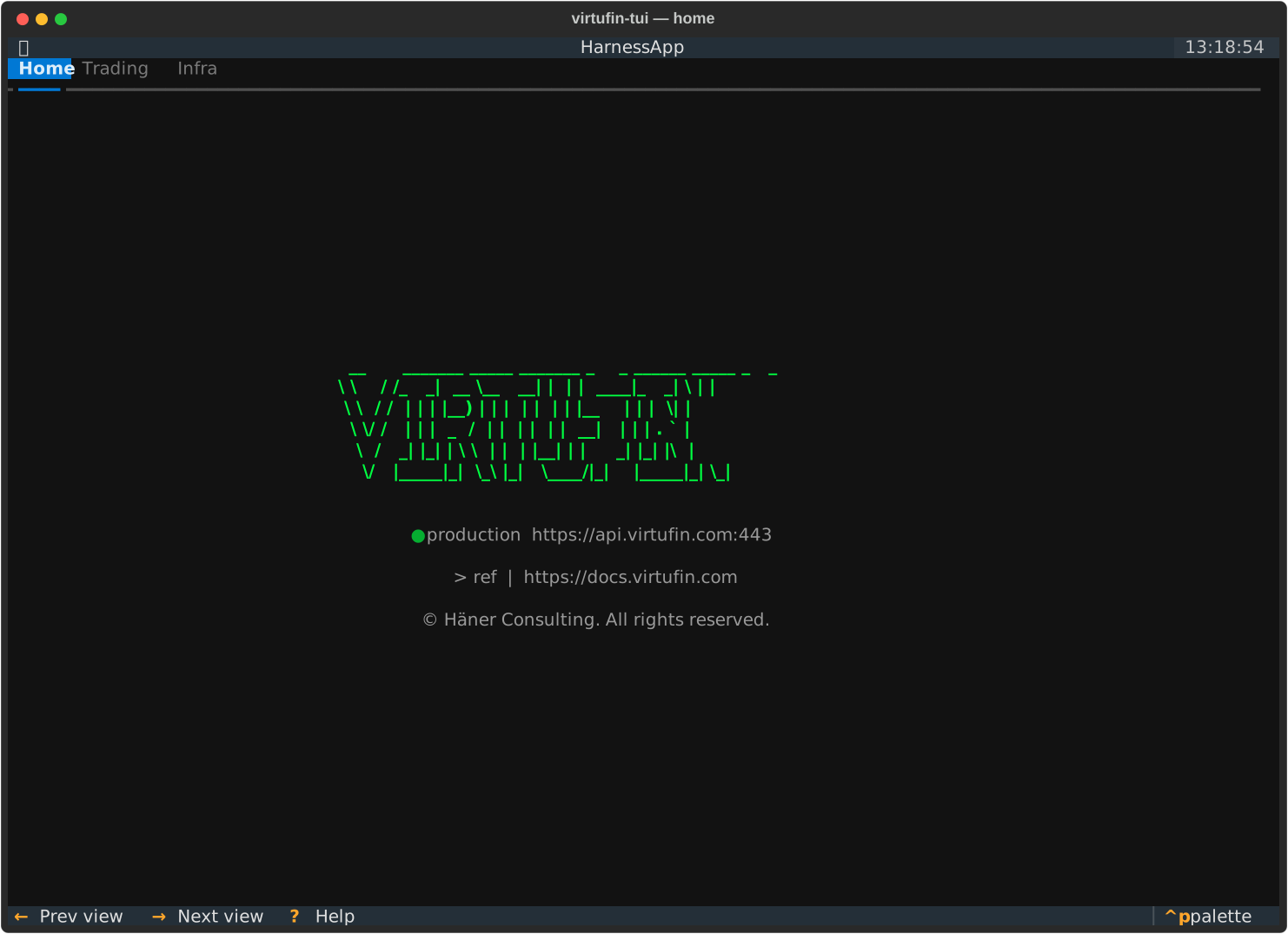
No pane-specific bindings.
Trading tab
The default Trading panes are Feeds, Instruments, Order Book, Indicators, Portfolio, P&L, Risk, Strategy and Scenario. Instruments, Portfolio, P&L and Risk were hidden while they had no data (tui#22) and came back in 0.28.0, 0.31.0, 0.32.0 and 0.33.0: an upgrade puts each in its place once.
The default Config tab holds Pages, Navigation, Scripts and AI; the AI view is
documented at AI tab, the others below. Step-by-step tasks are in the
How-tos.
AI
A chat assistant that drives the control plane via tool calls (Config › AI in the default layout).
| Key | Action |
|---|---|
Enter |
Send the typed message |
Ctrl+L |
Clear the transcript and start a fresh conversation |
P |
Switch the active LLM provider |
See AI tab for provider setup (llm_providers.toml,
DEEPSEEK_API_KEY / MINIMAX_API_KEY / OPENAI_API_KEY).
Feeds
The feed definitions shared on the context (cfg.feed.*, the same the web app's
Trading > Feeds shows and edits; openspec feed-definitions). A definition names a
venue preset of market-data-devkit and the topics its WebSocketFeed workers serve:
topics as given, or pairs x families (x intervals for candle.update), named by
the naming library for its world (act or hyp.<NAME>). Each row shows the
definition's preset, world, topic count and its state from the feeds tagged
feedowner=<name>: disconnected (none), connected (every feed's socket open)
or partly connected, with their messages per second. A definition that does not
validate shows its first error. The list follows the registry's change events and the
feeds' lifecycle.
| Key | Action |
|---|---|
Enter |
Open the definition's JSON in an editor that validates as you type (errors at their paths, warnings, the topics); Save shares it |
a |
Add a definition: pick a preset, edit its template |
C |
Connect: market-data-devkit's resolver plans the feeds (refusing topics over a venue's limits), then they are created or told to serve the topics; the definition's other feeds are deleted. Connecting again after an edit brings the feeds to the edited topics |
X |
Disconnect: delete every feed of the definition (asks first: its consumers get no data) |
d |
Delete a definition (refused while connected: disconnect it first) |
Every one of these is a write: on a protected context the TUI asks first, and the
server lets only admins make it. A definition's fields: name (lower-case
identifier, the feeds' owner), description, preset, world, universe, pairs,
families, intervals, topics, reconnect, secrets (feed secret name to a
reference into the worker Secret, e.g. alpacakey = "alpaca-paper-key", never a
value) and feed (further feed config keys, e.g. maxitems). The published schema is
https://app.virtufin.com/schemas/feed-definition.v1.schema.json.
The local World files (~/.config/virtufin/tui/worlds/*.toml) and composite worlds
(cfg.world.*) are gone (tui#53): save a websocket World as a shared definition (the
same fields, without type, topic, ws_url, handshake, subscribe, routing).
Strategy
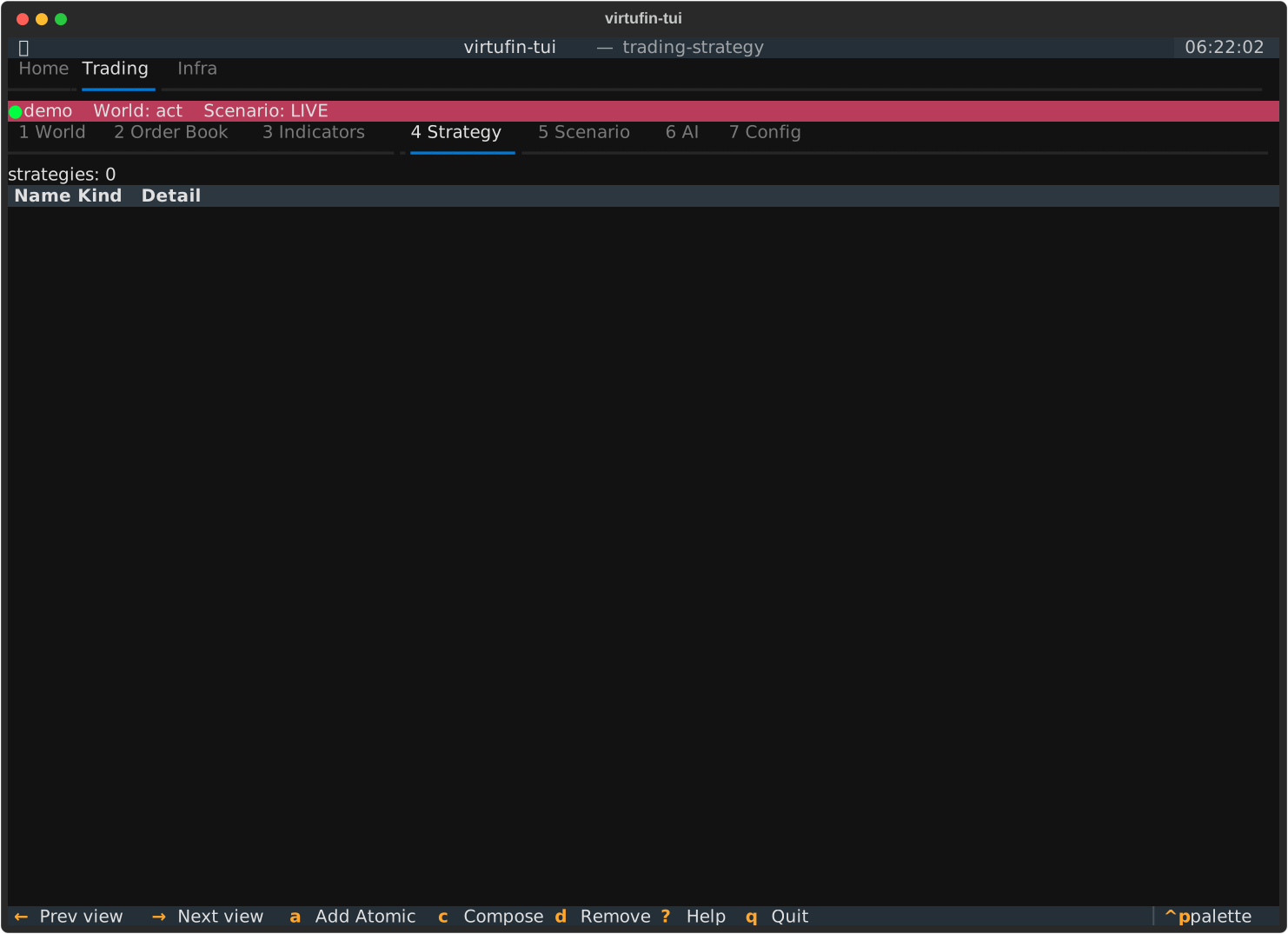
Atomic strategies (strategy workers, one row each) and composite ones (a name over
2+ strategies, saved in cfg.strategy.*). The list follows the workers and the
registry's change events.
| Key | Action |
|---|---|
a |
Add an atomic strategy: create a strategy worker (code source, MIME type, topic, config) |
c |
Compose a new strategy from 2+ existing strategies |
d |
Delete the highlighted strategy |
Scenario
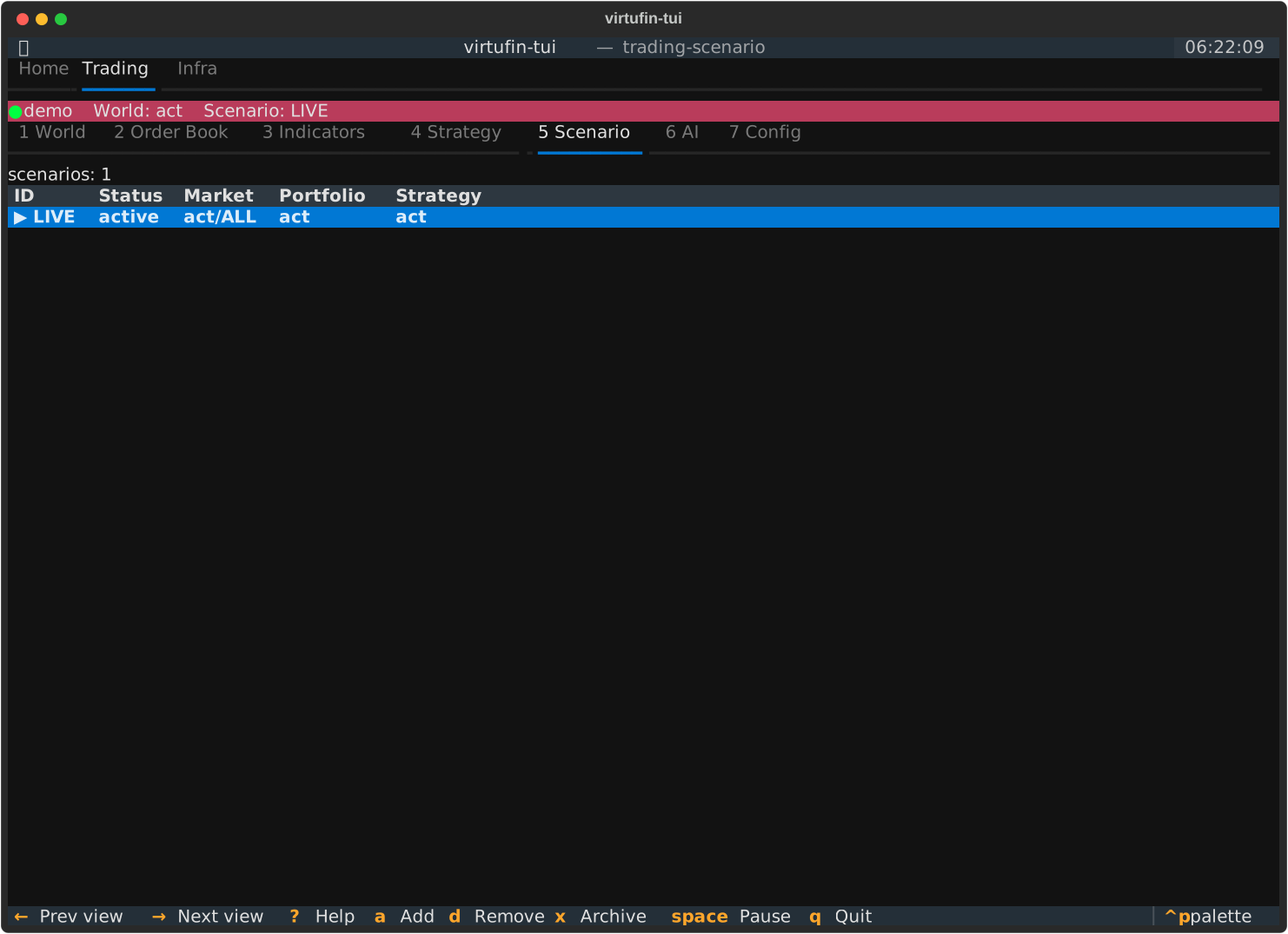
Scenarios (cfg.scenario.*): each a market world, a portfolio and a strategy, with its
status (active, paused, archived). LIVE is the reserved production scenario.
The list follows the registry's change events.
| Key | Action |
|---|---|
Enter |
Use: set the highlighted scenario as the active one (the Trading context row shows it) |
a |
Add a scenario: its market, portfolio and strategy legs |
space |
Pause an active scenario (asks first), resume a paused one (the registry status; it stops no orders) |
h |
Halt the highlighted scenario's trading, or resume it (with a confirmation): its strategies withhold their orders and its executors refuse them; the Trading column says HALTED (<reason>) |
x |
Archive the highlighted scenario (with confirmation) |
d |
Delete the highlighted scenario (with confirmation; LIVE cannot be deleted) |
Instruments
Every instrument the gateway has seen a snapshot topic of, any venue and world, one
row each: world, venue, pair, tick size, lot size and when that was last known (UTC).
The sizes come from the instrument its order-book worker saved in State
(BinanceOrderBook 0.12.0 or newer), then from each new snapshot. A snapshot is
published only when its market data starts, so a pair whose worker saved nothing
shows –. An instrument that appears later joins the list by itself.
No keys: it updates by itself.
Order Book
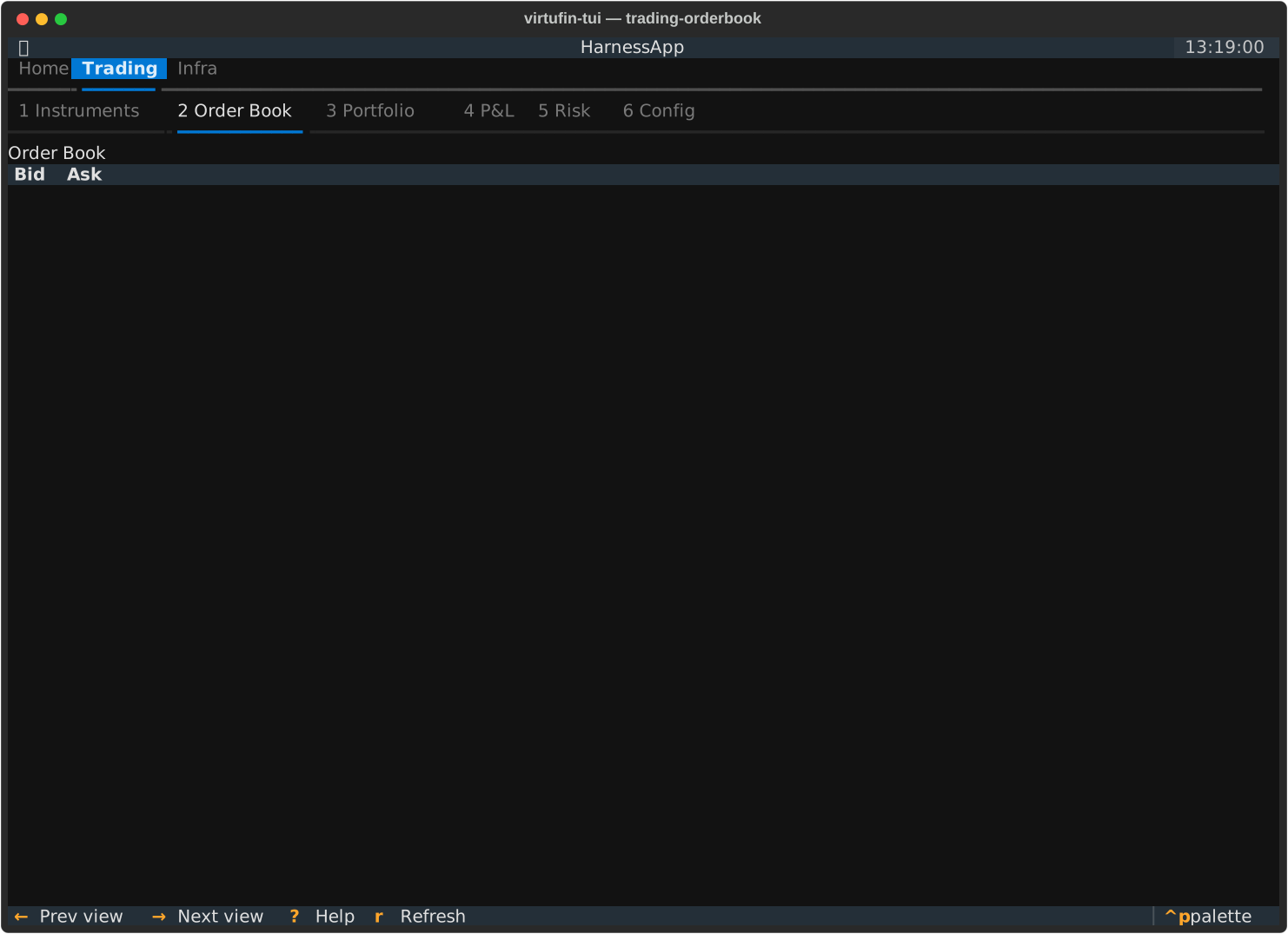
One order book, live: pick it in the selector (every book the gateway has seen a
topic of, any venue and world, e.g. act binance BTC_USDT). The header shows mid,
spread (and in basis points), the book's update id, its age and where it comes from:
saved (the book its worker saved in State, shown first) or live (the image of the
latest orderbook.changed event). A gap event is a red banner until the next book.
The ladder lists the top 15 levels per side, asks above the spread, with each side's
cumulative size. Depth shows each level's size as a bar, scaled to the largest size
shown on either side (eighth-cell blocks; asks red, bids green), so the book's shape reads
at a glance. It is redrawn at most every 250 ms. A new subscription can take a
few seconds to go live, the saved book shows meanwhile. A book that starts publishing later joins
the selector by itself, from the gateway's announcement of new topics. A book listed
from a topic the gateway once saw but that nothing produces now (no saved book, no event
for 10 s) says so in yellow: most likely no order-book worker runs for it (tui#49).
No keys: it updates by itself.
Indicators
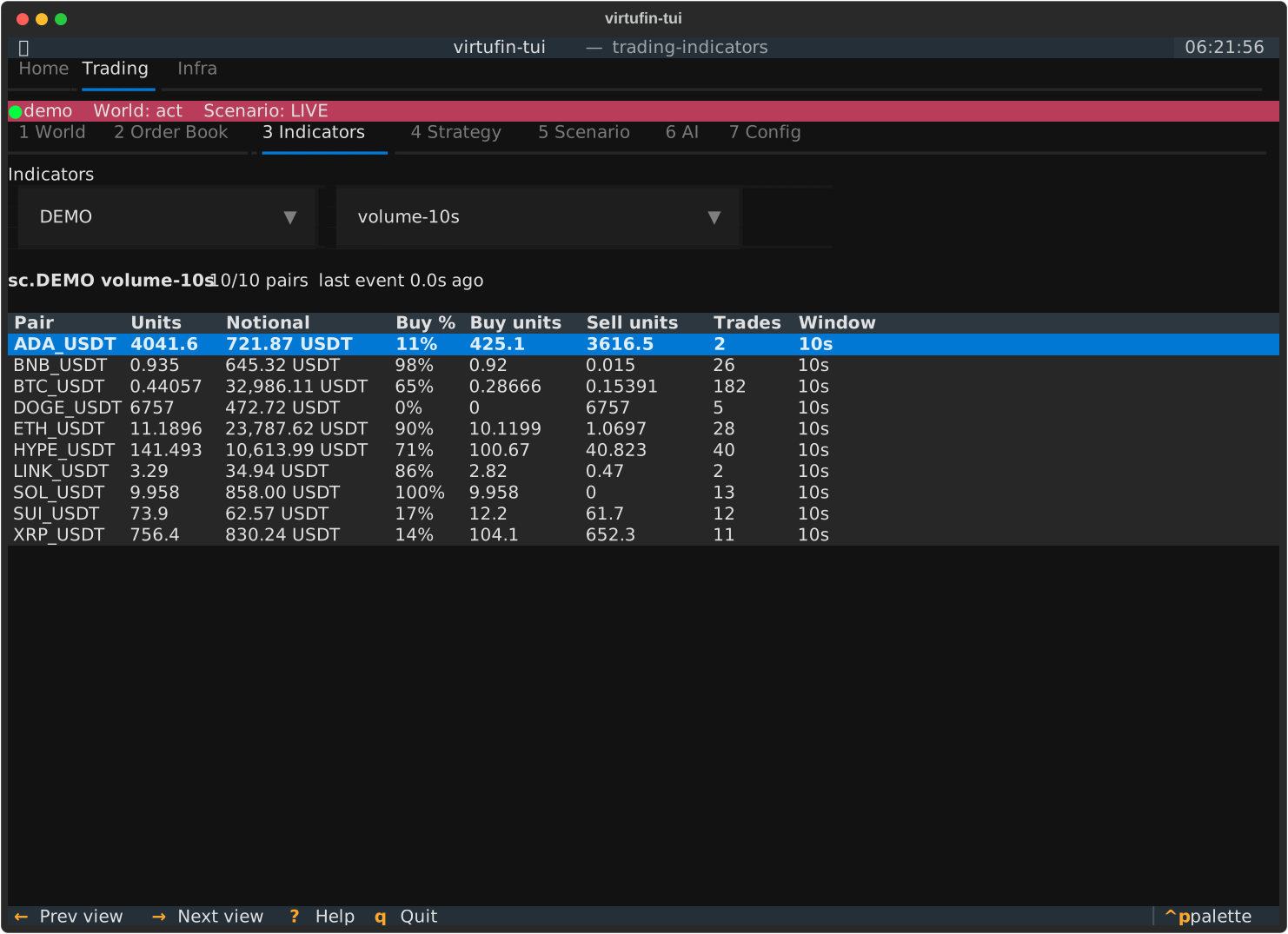
One indicator's value for every pair, live. Pick a scenario and an indicator (every
sc.<SCENARIO>.indicator.<name>.changed.<PAIR> topic the gateway has seen, named
through virtufin-indicator-devkit). One row per pair; the columns follow the value:
TradeFlow (units, notional, buy share, buy/sell units, trades, window), BookImbalance
(mid, imbalance per level, depth), a single value (SMA, returns), anything else as
JSON. A pair without a value yet shows –. Seeded from State in one bulk read, then
each pair's changed event; redrawn at most twice a second. The header counts the
pairs with a value and the time since the last event. New indicators and pairs appear by
themselves, from the gateway's announcement of new topics.
Each pair's values are a Value Stream: the saved value, then every changed event while
the pane shows the indicator (tui#48). Enter on a row opens it in its representations,
as the States and Events panes do: a line plot over time first (units for TradeFlow,
mid for BookImbalance, value for a single value), then the newest value and a log.
| Key | Action |
|---|---|
Enter |
Open the pair's stream in its representations |
v |
Next representation |
h |
Switch between the stream and its newest value |
Escape |
Back to the table |
Portfolio
One venue account, live: pick it in the selector (every account the gateway has seen
an account.snapshot topic of, any venue and world, e.g. testnet (binance,
hyp.TESTNET)). Balances: asset, free, locked and total, zero balances hidden.
Open orders: symbol, side, type, quantity, filled, price, status and time; an
order that ends leaves the list. The header shows the time of the newest change, the
number of open orders and where it comes from: saved (the account its portfolio
worker saved in State, BinancePortfolio 0.2.0 or newer, shown first) or live
(its snapshot and change events). A new account joins the selector by itself. An
account nothing produces now (no saved account, no event for 10 s) says so in yellow:
most likely no portfolio worker runs for it (tui#49).
| Key | Action |
|---|---|
z |
Show or hide the zero balances |
P&L
One scenario's P&L, live: pick it in the selector (the scenarios of the registry). One
row per symbol it traded: quantity, average cost, mark (the order book mid), unrealized
and realized P&L, and the fees charged (unknown when a fill's fee was not known). The
header shows the totals in the book's quote asset and when it was last computed. It is
the book the scenario's P&L worker (portfolio-workers PnL) saves; each of its events
reads the book again. A scenario without a P&L worker says so.
No keys: it updates by itself.
Risk
One scenario's spot exposure, live: pick it in the selector. One row per symbol: quantity, mark, notional (|quantity| x mark), its share of the gross notional, the scenario's limit per symbol and whether it is breached (the row turns red). The header shows the gross and net notional and the gross limit. It comes from the scenario's P&L worker (its exposure events; before the first one, its saved book with the limits).
The limits (max_notional_per_symbol, max_gross_notional, in the quote asset) live in
the scenario's registry entry. They are shown and reported (risk.limit.breach), never
enforced: orders are placed as before.
| Key | Action |
|---|---|
l |
Set the scenario's limits (an empty field removes that limit) |
Infra tab
Workers
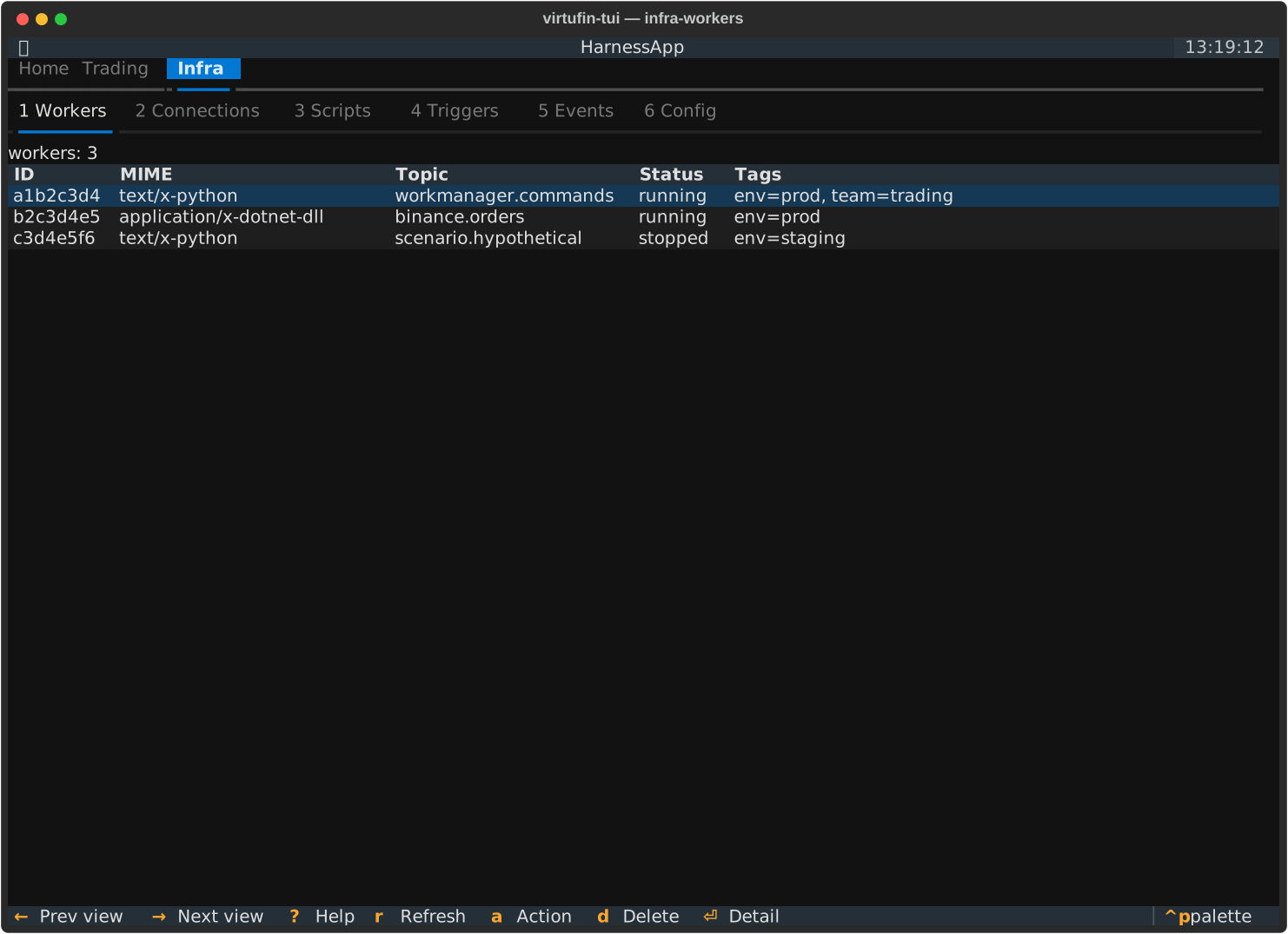
| Key | Action |
|---|---|
a |
Add a worker: pick a type from the local registry (~/.config/virtufin/tui/workers.toml), fill in its topics (comma-separated, pre-filled where the registry gives them; templates such as …trade.update.{pair} expand from the config, shown before Create), config and secret references, and create it |
Enter |
Open a read-only worker detail popover (Escape to dismiss): its last load or start error, its lifecycle events since the TUI connected (newest first, the last 20, repeats counted; the WorkManager keeps no history of them), tags, config and code history |
o |
Sort by the picked column ([/]), else the first; again: reversed (a header click too) |
m |
Open the action modal: set/clear tag, start, stop, delete |
d |
Delete worker (with confirmation) |
space |
Mark or unmark the selected worker (a ✓ before its id) and go to the next row |
u |
Upgrade in place: for a worker made from a versioned package of the worker registry, pick a version (the newest preselected; an older one rolls back) and load it with LoadCode. The worker keeps its id, topics, config, secrets and tags; a running one stops, loads the new code and starts again (its in-memory state starts fresh). The status line counts the workers with a newer version |
b |
Bulk: start, stop, delete or upgrade to the latest version the marked workers, or with none marked every worker the filter shows (/, then b: everything matching it). The menu lists them; Delete asks once more. A report lists each worker's result, failures first (an upgrade skips a worker at the latest version, or one not from the registry, and says so); the marks of the done ones go. On a protected context the bulk confirmation covers the run |
/ |
Filter the workers, e.g. by tag: tag:world=act_binance_top10 (see Filtering) |
Registry topics may be topic templates with the naming library's
placeholders, e.g. BinanceTrades' act.exchange.binance.trade.update.{pair}
or BinanceCandles' act.exchange.binance.candle.update.{pair}.{interval}. The
form expands them from the config: each placeholder binds the config key the
entry's topic_params names ({pair} from currencypairs, {interval} from
intervals; without an entry, the key of the placeholder's own name), one topic
per value (pairs x intervals). The template is parsed and every topic rendered
by the naming library, so an unknown template or a pair it rejects
(btcusdt) fails. Topics on create below the form shows the expanded topics
as you type; Create is refused while a placeholder has no value (e.g.
intervals unset), instead of subscribing a topic nothing publishes. Topics
without placeholders (BinanceOrderBook's flat …orderbook.snapshot) pass
through, and {worker_id} is left for WorkManager (the new worker's id). A
feed definition's pairs x families x intervals are the same templates
(feed_definitions.topics_of), so a worker created for a definition's pairs
listens to exactly the topics its feeds serve.
The world is not a placeholder: registry templates are written in act
(the default) and the worker's world config re-binds them (topic_params
world = "<key>" names another key). With world = hyp.TUITEST the form
renders hyp.TUITEST.exchange.binance.trade.update.BTC_USDT; fixed topics and
family stems in a world (…orderbook.snapshot) move with it, topics outside a
world (wrk.…, x.…) keep theirs. The value is read with the naming
library's world pattern, so anything but act or hyp.<NAME> (uppercase,
e.g. hyp.tuitest) is shown in Topics on create and refuses Create. A
feed definition's world binds its topics the same way (its families and its own
topics).
A worker that needs credentials (e.g. WebSocketFeed with the alpaca preset) shows a Secret …
(reference) field per secret. Enter the key of the cluster's worker Secret
(virtufin-worker-secrets), such as alpaca-paper-key, never the secret
itself; the registry pre-fills a suggestion. WorkManager resolves the values in
the Runtime, so no secret passes through the TUI. A missing key leaves the
worker LOAD_FAILED.
The registry is the TUI's shipped catalog (synced from general-workers with each
release) merged with your ~/.config/virtufin/tui/workers.toml: an entry of yours
overrides the fields it sets on the shipped entry of the same name, the versions
of both are offered (newest last), and entries only you have are kept. A new
release's workers and versions therefore reach you although your copy is never
overwritten.
Columns: Name is the worker's type tag (set by New Worker), else the
package its code came from (Virtufin.Worker.HttpGet 0.4.0, needs
WorkManager 0.22.0+). Source is the source tag, else the code URL.
Topics lists every topic the worker subscribes to, one per line.
Config is the worker's config, set at creation. Secrets shows the
worker's secret references (name=<secret>/<key>), never the values.
Connections
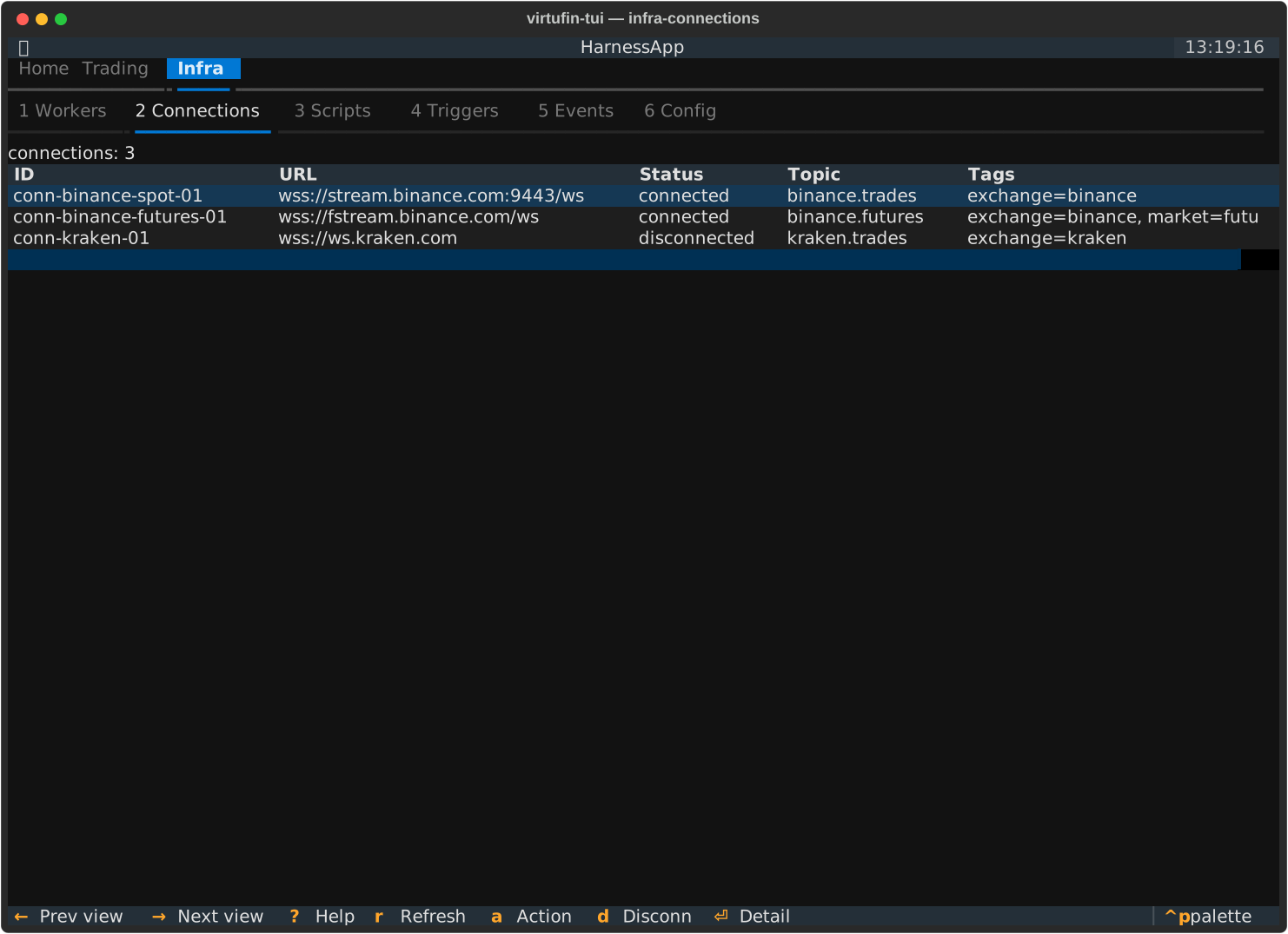
A connection is a WebSocketFeed worker (one socket per worker,
workmanager#103): the page lists every worker created from the feed package
or tagged feedowner by an orchestrator, whoever created it (the Feeds page,
the web app, notebooks, virtufin-worker create WebSocketFeed). Feeds also appear on the
Workers page.
Feed health (tui#21, tui#31): Msg/s is the frames the feed published per second
between its last two metrics events, Subscribed its venue subscriptions against the
topics it serves, Failures its failed publishes. The counters come from the feed's
metrics events (wrk.websocketfeed.metrics, pushed every 5 s while they change), so no
feed is polled. No event for 12 s means the feed published nothing: Msg/s shows 0, and a
rate that stays at 0 on a feed that should flow is a stalled connection.
Latency is how far the feed is behind the venue: per message, when the frame came off
the socket minus the venue's own event time, as p50 and p90 over each metrics interval
(WebSocketFeed 0.6.0+, general-workers#23). The cell shows a sparkline of p50 over the
last 30 intervals (2.5 minutes at the default 5 s), then the latest p50/p90 ms. It
includes the skew between the venue's clock and the cluster's. "–" means the feed reports
none: its venue preset names no event time, or the connection was made before (a worker's
config is fixed at creation: disconnect and connect its feed definition again, X then C on Feeds).
How far it can be trusted (general-workers#24): a feed whose preset names a clock probe
(Binance, WebSocketFeed 0.7.0+) reads the venue's clock every 5 minutes and reports its
offset, give or take half the probe's round trip; the cell then ends in ± that bound.
The cell turns yellow with a ? when the number carries clock skew: p50 below zero, more
than 5 % of the messages stamped in the future, or the venue's clock further off ours
than the round trip explains. Enter on the connection shows the numbers and the reason
(latency p50/p90, latency messages, venue clock, trust). The node clocks
run chrony and are watched (NodeClock* alerts).
| Key | Action |
|---|---|
Enter |
Fetch the feed's full status, then open a read-only connection detail popover: the feed's URL, state, detail, publish topic, frames published, and its tags (Escape to dismiss) |
m |
Open the action modal: set/clear tag, start/stop publish (by topic), disconnect |
d |
Delete: disconnect (with confirmation): stops and deletes the feed worker; the row is removed on success |
space |
Mark or unmark the selected connection and go to the next row |
b |
Bulk: stop publishing or disconnect (asks once more) the marked connections, or with none marked every connection the filter shows; a report lists each one's result, as on Workers |
/ |
Filter the connections like workers (see Filtering): source: is the URL, topic: the publish topic |
o |
Sort by the picked column ([/]), else the first; again: reversed (a header click too) |
Columns: Name is the feed's name tag. Connected is a green dot while
the socket is open (connected or degraded). Status is the feed's own
state (connecting, connected, reconnecting, disconnected, degraded,
released), from its status command when the page opens and then from the
feed's lifecycle status events (no polling), or the worker status in lower case
when the worker does not run (stopped, loading, load_failed). Topic
is the publish topic, Published the frames published since the feed
started (from its metrics events, or the last status answer before the first one).
Scripts
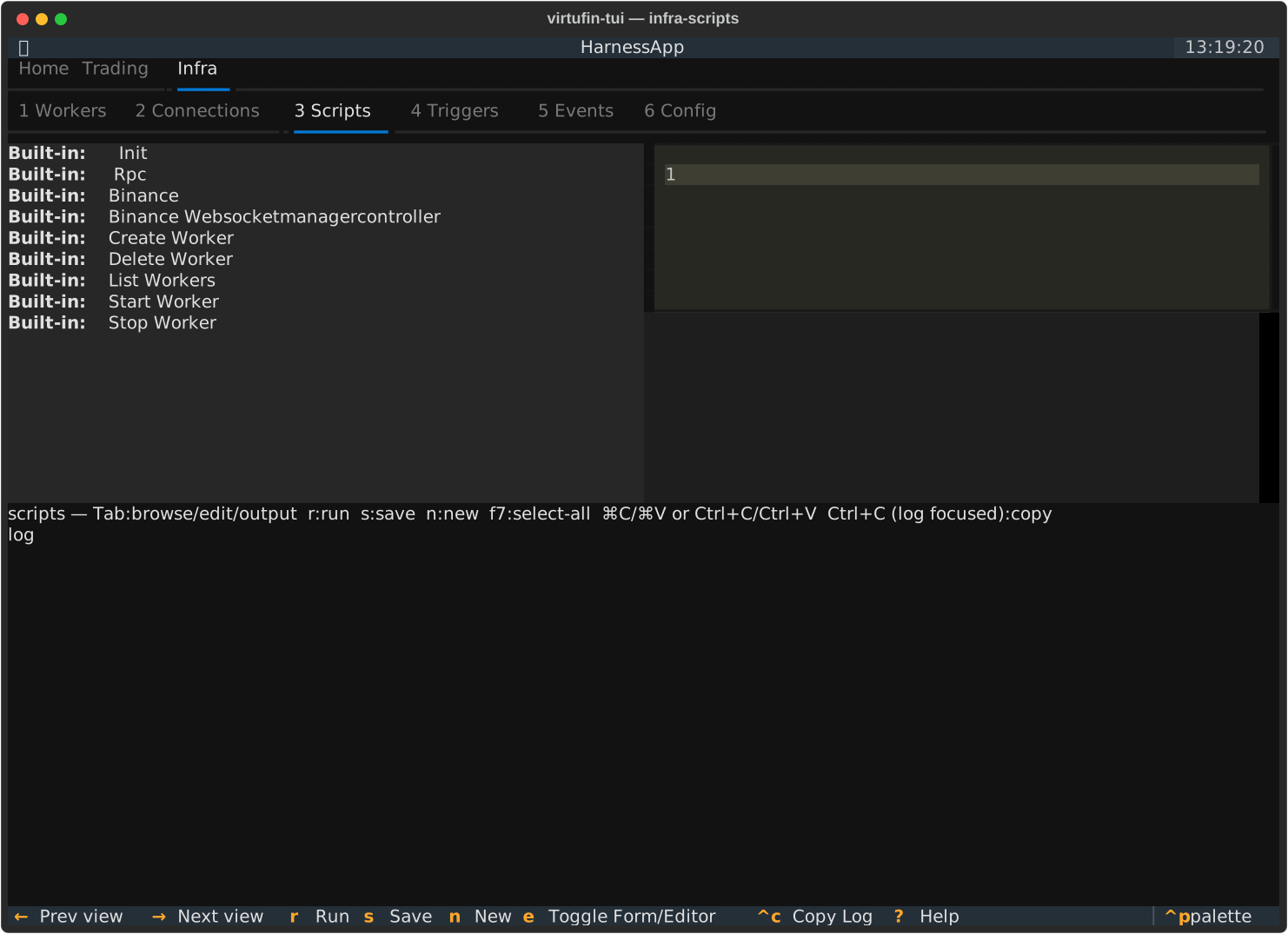
| Key | Action |
|---|---|
↑ / ↓ |
Navigate the script list |
r |
Run the highlighted script (a subprocess of the TUI's own Python, isolated); a script with a form runs from the form's Submit |
s |
Save the edited script (user scripts only) |
a |
Add a user script (from a template, saved to ~/.config/virtufin/tui/examples/) |
e |
Toggle between the form (if the script has a paired .form.json) and the code editor |
f7 |
Select all in the editor |
Ctrl+C / Cmd+C |
Editor focused: copy selection (Textual native). Output log or script list focused: copy the entire output log to clipboard. |
Ctrl+V / Cmd+V |
Paste in the editor (Textual native, terminal bracketed paste) |
Ctrl+X / Cmd+X |
Cut selection in the editor (Textual native) |
Textual's binding chain checks the focused widget first, so
Ctrl+Con the editor copies a selection (nativeTextArea) and on the output log copies the full buffer (ScriptsPage's own binding).qis the global app-quit key --Ctrl+Cnever quits, it copies.
Scripts, and any custom pane built the same way, use
the same script+form convention: a .py file with an optional sibling
.form.json rendered via textual_jsonforms. See Scripts
for the full write-up, including the env-var contract and the
init_scripts startup mechanism.
Triggers
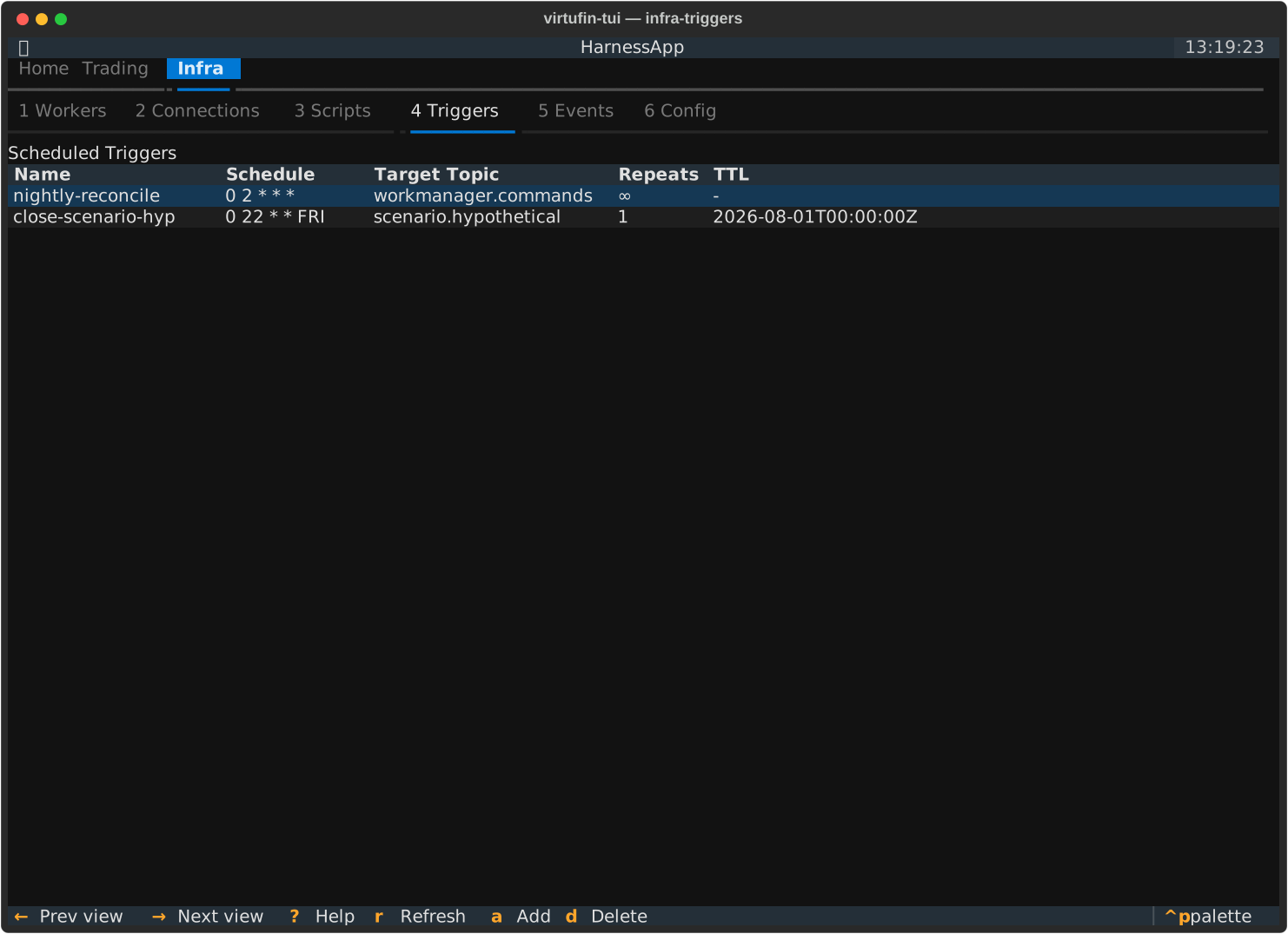
| Key | Action |
|---|---|
a |
Schedule a new trigger |
d |
Delete the highlighted trigger |
States
| Key | Action |
|---|---|
/ |
Filter the keys (see Filtering) |
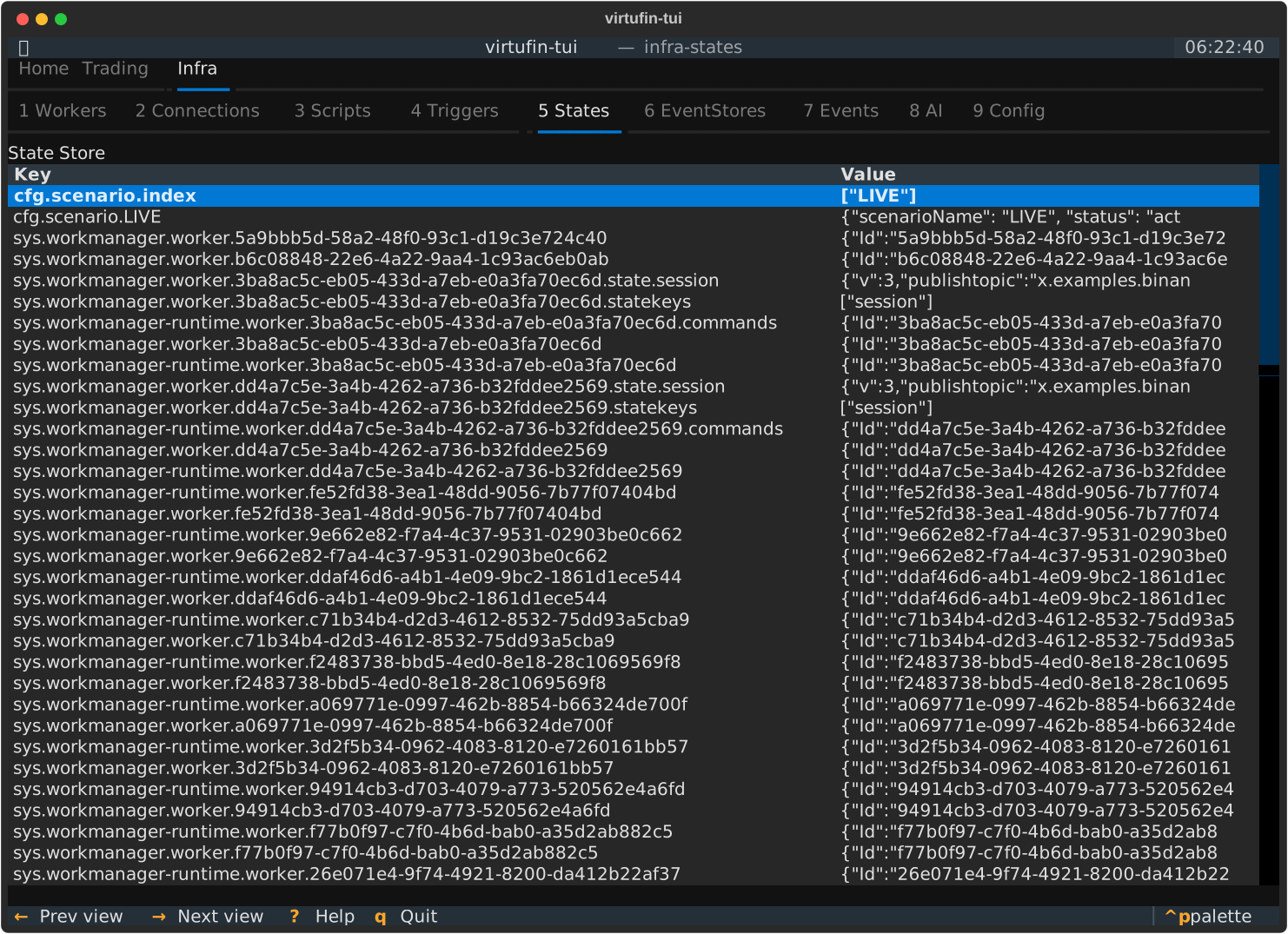
The pane lists up to 1000 keys (QueryState has no paging); with that many, the status line says the store has more. It reads the store every 2 s while it is shown, and not at all while hidden: most writes (workers' state, order books, accounts) publish no change event, so there is nothing to follow.
| T | Flat or tree: the keys split at ., each node with the number of keys under it, each leaf with its value |
| Enter | Open the key: its value in its representations |
Each value shows in its first representation on one line (an order book as its
mid, spread and update id; a number at full precision). In an opened key v
shows the next representation, h switches to the key's stream (each value read
while the pane is shown, one per change: a number as a line plot over time) and
back, Esc returns to the list.
It updates by itself.
EventStores
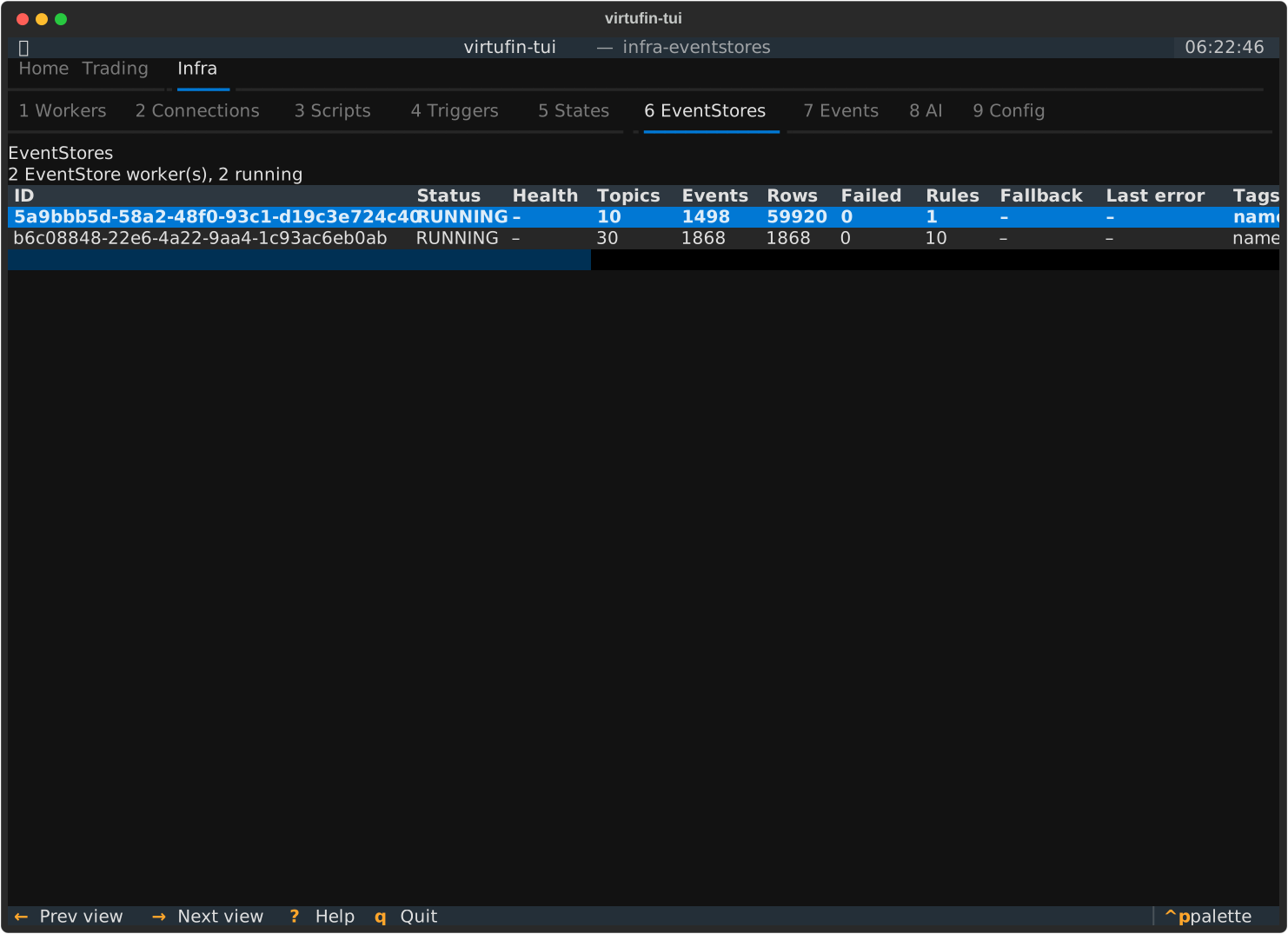
What each EventStore worker (general-workers' EventStore, events into QuestDB) has
written: one row per worker with its status, health, topic count, events, rows, failed
inputs, rules, fallback table and last error. Nothing is polled (tui#31): the counts come
from the worker's metrics events (wrk.eventstore.metrics, pushed every 5 s while they
change), Health from its lifecycle status reports (ok, or degraded with the reason
while QuestDB is unreachable). The rules, fallback table and last error come from its
status command, asked when the store is first seen running or comes online, when its
metrics show a new failure, and when its code or config changes. A stopped worker shows its
worker status. The list follows the workers (added, removed, started, stopped), with no
timer of its own. The header counts the workers and, in red, degraded stores and failed
inputs.
No keys: it updates by itself.
Alerts
What went wrong, or needs a look, on any context since the TUI started, newest first, instead of toasts that vanish: one row per alert with when it last came, its severity, context, source, subject, text, how often it came and when first. The sources:
- risk: a P&L worker's limit breach (
sc.<S>.risk.limit.breach), one topic per scenario of the registry, followed as scenarios are added; - worker: a worker that failed or failed to load, a
degradedordisconnectedstatus report (a feed, an EventStore), a gap in a worker's input; - halt: a scenario's trading halt set or lifted (the halts found when a context is bound are in the context row, not alerts);
- context: a context's api going down, and answering again;
- tui: every action of the TUI that failed (the same text as its error toast).
A repeat (same context, same alert) counts up in its row and comes back to the top. The context row on every tab says how many alerts are new; showing this pane reads them. The list is the TUI's own, in memory (the last 500): a restart starts empty.
| Key | Action |
|---|---|
d |
Dismiss the selected alert |
c |
Clear the list |
Changes
Every write the TUI sent to a context, newest first: when, the context, the change
(a worker created, started, stopped, deleted or tagged, a worker command other than
status, a state entry saved or deleted, a trigger scheduled or deleted) and what came
of it: done, failed (red, with the reason) or declined (a no on a protected
context). It is kept across restarts in ~/.local/state/virtufin/tui/changes.jsonl
(one JSON object per line; at 4 MB the file moves to changes.jsonl.1), and the last
500 are read back at start. Scripts run with their own client and are not in it.
No keys: the log is a record.
Events
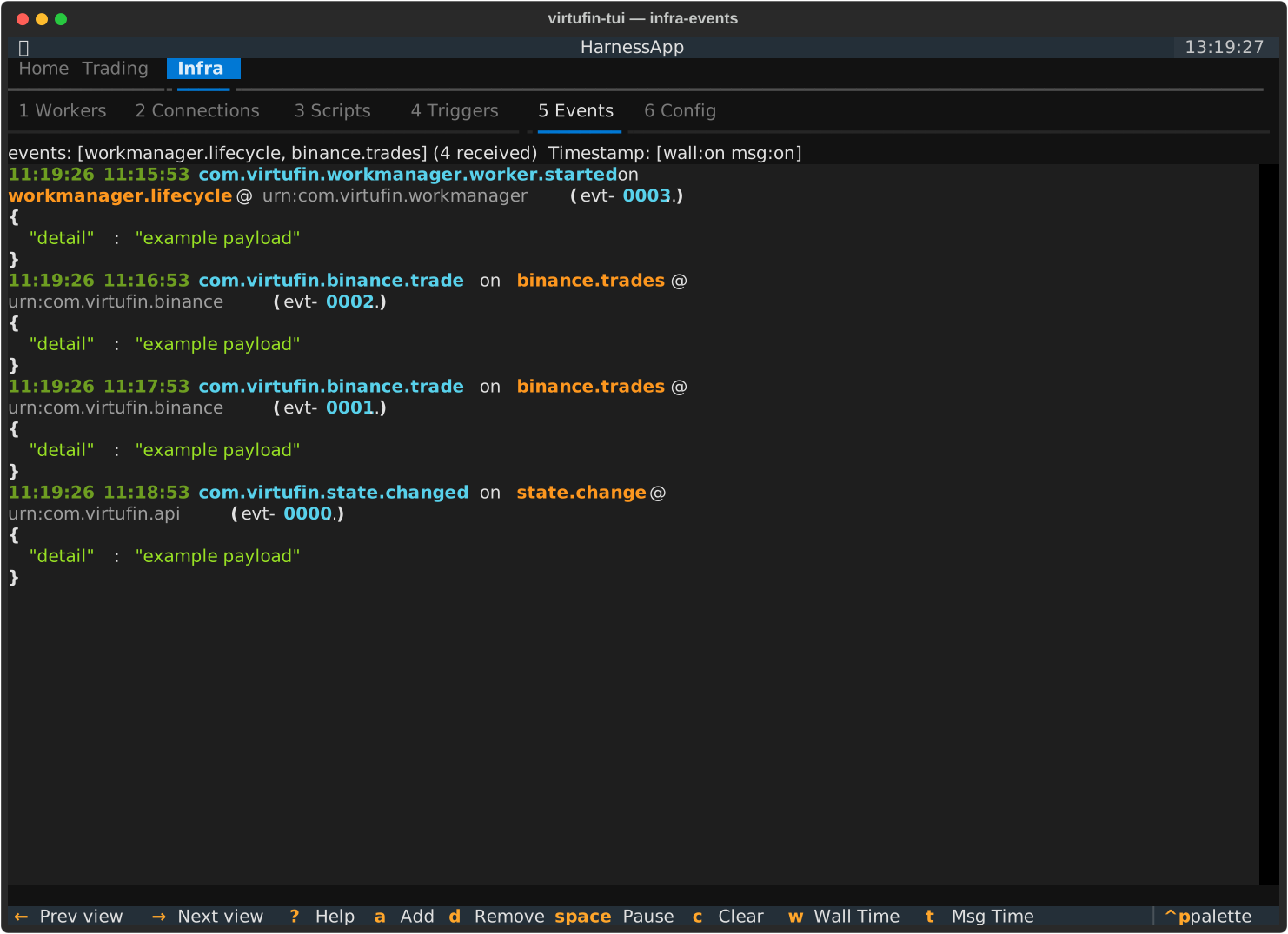
| Key | Action |
|---|---|
space |
Pause / resume the log (the events received while paused are written on resume) |
c |
Clear the log (a later filter does not bring the cleared events back) |
/ |
Filter the events (see Filtering): the events already received too |
T |
Flat or tree: the topics of the received events as a tree beside the log; Enter on a topic shows its stream, on a node only its events, on the root all |
a |
Add subscription topics |
d |
Delete subscription topics |
w |
Toggle the wallclock timestamp column |
t |
Toggle the message (CloudEvent time) timestamp column |
a opens a picker. Type in the filter box to narrow the list, then
space to select topics (selections survive changing the filter), and Add.
The list holds the presets, the topics connections publish to and workers
listen on, and every topic the api has seen in the last 7 days
(Pubsub.ListTopics; if that call fails the status line says so). Topics
already subscribed are left out. A topic nobody has used yet can still be
typed in the box below the list.
The status bar shows reconnecting... while the stream retries a transient
failure. When the api rejects a topic for good (a state key such as
api||act.exchange... copied from the States page, or a name that collides
with a non-stream key), it shows events: error: <reason> instead and stops
retrying. Remove the topic with d to resubscribe.
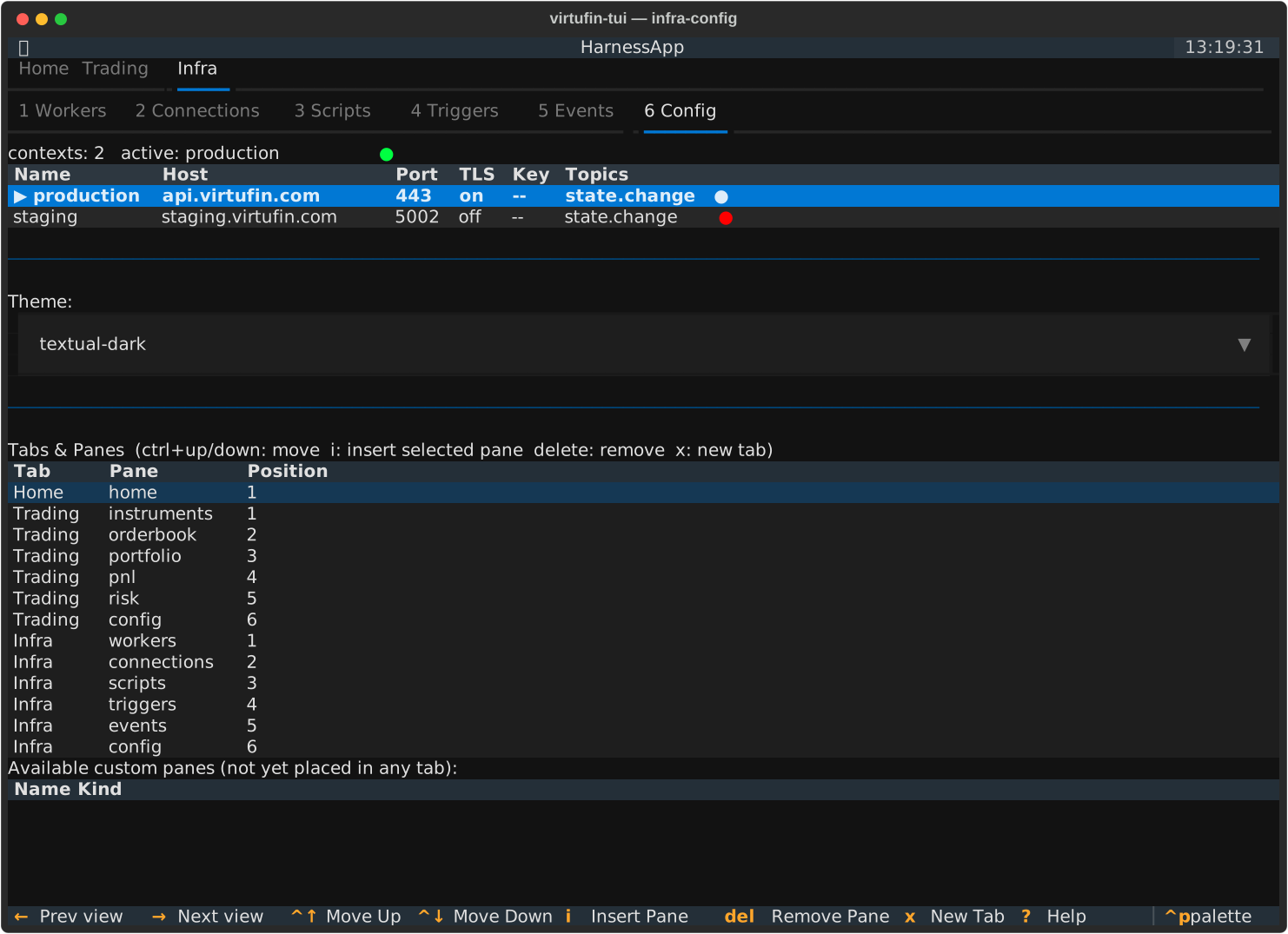
Config
| Key | Action |
|---|---|
Enter |
Contexts table: use (switch to) the highlighted context. Available panes: add the pane. Tabs & Panes: nothing |
ctrl+up / ctrl+down |
Move the highlighted entry within its tab |
d |
Delete the highlighted entry (the navigation table focused; protected ones stay) |
a |
Add the highlighted available view after the highlighted entry |
t |
A new top-level tab holding the highlighted available view (prompts for id + label) |
The highlighted context stays highlighted when a context goes up or down. The page scrolls as a whole; the panes tables show at most 12 rows each and scroll inside.
See Tabs, pages & custom panes for the navigation structure, how the Navigation section works, pages, and how to write a custom pane. See Contexts for the contexts table above it.
Action modal
Opened via m from Workers or Connections.
| Key | Action |
|---|---|
Tab / Shift+Tab |
Move between fields |
Enter |
Submit |
Escape |
Cancel |
Ctrl+Z |
Undo (tag changes only, 10-second grace period after submit) |
Detail popovers
| Key | Action |
|---|---|
Escape |
Close the worker/connection detail popover |
Tables
Every table bounds its cells (tui#44). A cell wider than table_max_column_width
(default 60) wraps inside its column; a row is at most table_max_row_height lines
(default 5). A taller cell shows that many lines and a scrollbar at its right edge (│
track, ┃ thumb). Both are set in ~/.config/virtufin/tui/config.toml and apply from
the next start.
| Key | Action |
|---|---|
Shift+↓ |
Scroll the selected row's cells one line down |
Shift+↑ |
Scroll the selected row's cells one line up |
[ / ] |
Pick the previous / next column (its header is highlighted, and it is scrolled into view) |
Shift+← / Shift+→ |
Scroll a wide table sideways (16 cells; ←/→ switch tabs) |
- / + |
Make the picked column one character narrower / wider |
= |
Give the picked column back its automatic width |
o |
Sort by the picked column, again reversed (Workers and Connections; a header click too). Numbers sort as numbers, text without case, empty cells last; the status line says sorted: <column> ▲ |
A refresh of the table keeps a row's position; the mouse wheel scrolls the table.
With the mouse, drag a column boundary: each one is marked │ in the header and
highlighted while the pointer is within two cells of it; it can be dragged from any row
(tui#47). A width you set replaces the column's automatic width (its cells wrap at it) and is
remembered per table and column in ~/.local/state/virtufin/tui/state.json
(column_widths); = forgets it (tui#46).
Filtering
/ on States, Events, Workers and every table pane (see Tables) opens a filter line. The list filters as you type;
Enter keeps the filter and goes back to the list, Esc clears it. The status
line shows the filter and how many entries pass (3/54). The same expression
means the same on both panes, and in the web app (value-presentation spec).
| Term | Keeps |
|---|---|
word |
the entries whose key or topic, or value, contains word |
name:pattern |
key or topic |
kind:pattern |
what the value is: number, text, json.object, json.array, orderbook, tradeflow |
type:pattern |
ce-type (events) |
source:pattern |
state service, or ce-source |
subject:pattern |
ce-subject (events) |
value:pattern |
the value as one line of text |
-term |
the entries the term does not keep |
"two words" |
a term with spaces |
Every term must hold. Case does not matter. A pattern with * or ? matches
the whole field (name:cfg.*), any other is a substring (name:world). A field
an entry does not have never matches: type:*.gap keeps no state entry. An
expression that does not parse turns the line red, says why in the status line,
and filters nothing.
Examples: name:cfg.* -name:*.index, kind:orderbook BTC_USDT,
type:*.gap -name:sys.*.
Tables
Feeds, Pages, Instruments, Indicators, Portfolio, P&L, Risk, Strategy, Scenario, Triggers,
EventStores, Alerts and Changes filter their rows with the same line. A word keeps
the rows with it in any cell; a field is a column, its header in lower case with
other characters as _: pair:BTC*, tick_size:0.01, updated_utc:2026-11-15*,
outcome:failed. The header or status line shows the filter and shown/total.
Portfolio filters both tables, each by its own columns (asset:BTC keeps no open
order: the orders have no Asset column). The Order Book is a price ladder, not a
list, and has no filter.
Workers
/ on Workers (and Connections, each feed as a worker: source: its URL, topic:
its publish topic) filters the workers with the same language over the workers'
own fields (value-presentation Worker Filter):
| Term | Keeps |
|---|---|
word |
the workers whose name, id, topics or tags contain word |
tag:pattern |
a tag, as key=value: tag:world=act_binance_top10, tag:world=* (has a world tag), -tag:world=* (has none), tag:"owner=ops team" |
name:pattern |
the worker's name (its type tag, else the package) |
id:pattern |
the worker id |
type:pattern |
the MIME type: type:*python |
status:pattern |
status:running, -status:running |
topic:pattern |
any of its topics: topic:*.orderbook.* |
source:pattern |
its source tag, else the code URL |
Example: binance status:running -tag:type=* (Binance workers that run and were
not created by the TUI).
The kinds come from the presentation fragments the devkits ship (market-data-devkit's
orderbook, indicator-devkit's indicator kinds, domain-devkit's generic kinds; see
domain-devkit Presentation). Your own
~/.config/virtufin/tui/representations.json adds kinds, matched first:
A match can test json_type, has_keys, dataschema, content_type,
ce_type, name (globs for the last three and name), source (state or
event) and decoder (orderbook.image). A rule the TUI cannot read is logged
once and ignored.
Representations
A value (a state entry or an event) and a stream (a key's values or a topic's
events, as received) show in the representations of their kinds, the first by
default. In an opened key (States, Enter) or topic (Events, T then Enter on a
topic) v shows the next one, h switches between the stream and its newest value,
Esc goes back. The value shown follows the stream.
| Kind | Value | Stream |
|---|---|---|
orderbook |
ladder (top 10 levels per side, size bars, cumulative sizes, mid, spread, update id), JSON tree | latest, log |
tradeflow |
the Indicators pane's row, JSON tree | plot of units, latest, log |
bookimbalance |
the Indicators pane's row, JSON tree | plot of mid, latest, log |
indicator.value |
the Indicators pane's row, JSON tree | plot of value, latest, log |
number |
the number | line plot, log |
text |
the text | log, latest |
json.object, json.array |
JSON tree, indented JSON | log, latest |
| anything else | the text (<N bytes> for binary) |
log, latest |
A stream's representations are those of its newest value. log is one line per value, newest last; latest is the newest value, redrawn; plot is a line plot over the values' time. A representation that cannot show a value is skipped.
The lists are data, in the same fragments. Your own representations.json replaces the
list of each kind it names and can give your own kinds lists:
{
  "version": 1,
  "kinds": [{"kind": "limit", "match": {"name": "cfg.*", "json_type": "number"}}],
  "values": {"limit": ["number.text"], "orderbook": [{"name": "orderbook.ladder", "levels": 20}]},
  "streams": {"limit": ["log", "plot.line"]}
}
Value representations: number.text, text, json.text, json.tree,
orderbook.ladder (levels), indicator.table. Stream representations:
plot.line (field: the JSON path of the number, e.g. units), log, latest.
An unknown name or kind is logged once and ignored. The file is read at start.